


As we all know, Pinterest has emerged as a platform that gives all of its users unique ideas and knowledge. Whether you are in search of a recipe or looking for an idea to give your living room a new look that too while staying on budget, the application will never disappoint you.
But, the only complaint that every user has is not being able to download and save the pictures they like. As the application does not have the feature to allow its users to do so.
Here comes the perfect solution to your problem. Our Pinterest Image Downloader is an online available free tool that helps people download and save what they like.
With our Pinterest Image saver, there is no need for boring procedures and taking screenshots. You just have to follow some basic steps and Voila, your favorite picture is not only downloaded but saved on your device.
Without any long complicated sign-up procedures and steps, you just have to perform simple copy-paste functions to download the image from the portal. The user-friendly interface makes it hassle-free and time-saving to save the pins in your device.
Stay with us in the article to learn the quick procedure of using Pinterest image downloader for free.
Why Choose Our Pinterest Image
Downloader Tool
The answer is simple and easy, to avoid the frustration and annoying feeling that we all have experienced whenever we liked an image and wanted to save it. But, Alas!!!, we can’t, because the application does not provide the option to download images directly.
We have got the solution, the simplest yet the best online available Pinterest Image downloader for free. Some of its exclusive features are:

How To Use Pinterest Image Downloader From Android?
The simple interface of the Pinterest Image downloader online tool enables every user to download the image. The steps are as follows:
Launch the Pinterest app and open it.
Look for the image you download.
Right-click on the picture and then choose the copy link to acquire the link.
The image address will be copied on your clipboard.
Open our page in your browser.
Paste the link in the designated box.
Press Download.
Click on the option where it asks for you to save.
Share with your friends to enjoy as much as you want.

1. Click The Share icon on Pinterest Android App
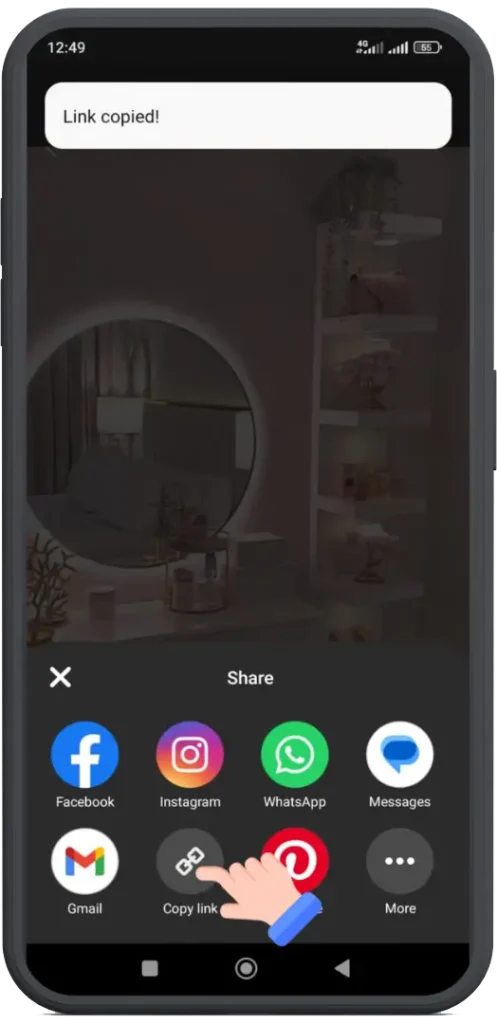
2. Copy the Image Link

3. Paste the Image Link
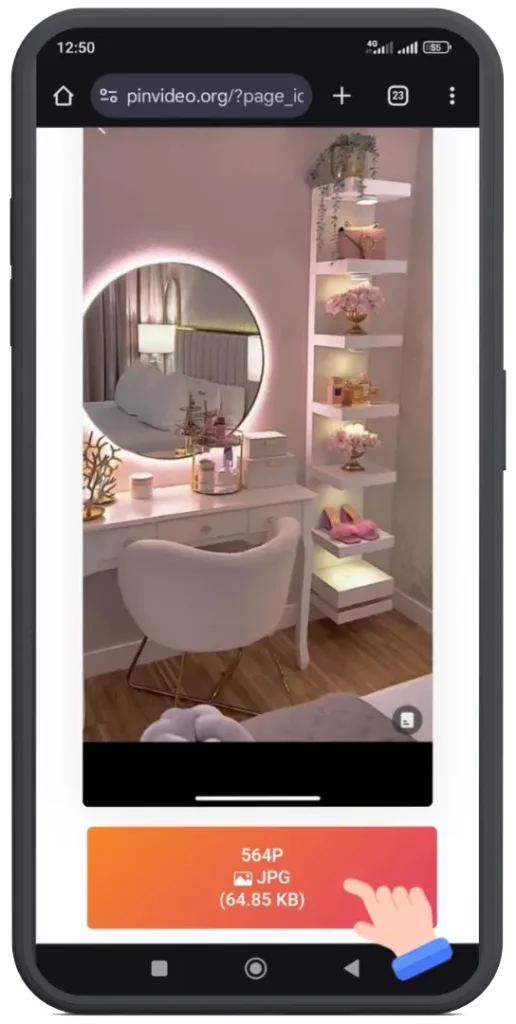
4. Downlaod The Image in 4K
How To Use Pinterest Image Downloader For An iPhone Device?
The Pinterest application is loved by people across the globe without device discrimination. As the application is open for all, so is our tool. No matter if you are an Android user or an iPhone user you can use our tool without hesitation. Have a look at the step-by-step guide on using the downloading tool available on our page. The steps to be followed are as mentioned:
Launch and open the Pinterest.
Click on the image.
Save the address of the image from the address bar of your browser.
Select the copy link.
This image address will be copied on your phone’s clipboard.
Open the phone’s browser.
Search for the Pinterest image downloader tool on our website.
Select the “Download” button.
Save it to your iPhone’s photos gallery.
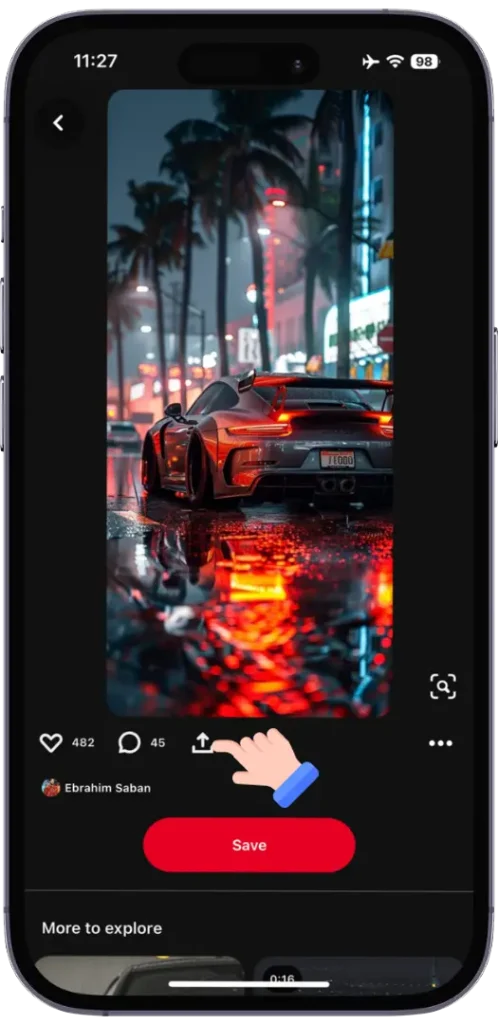
1. Click The Share icon on Pinterest Iphone App
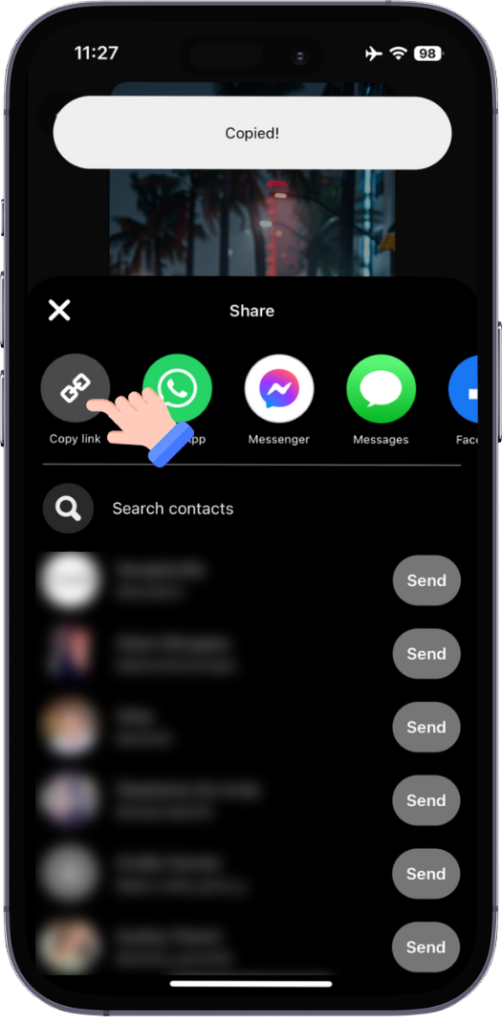
2. Copy the Image Link

3. Paste the Image Link
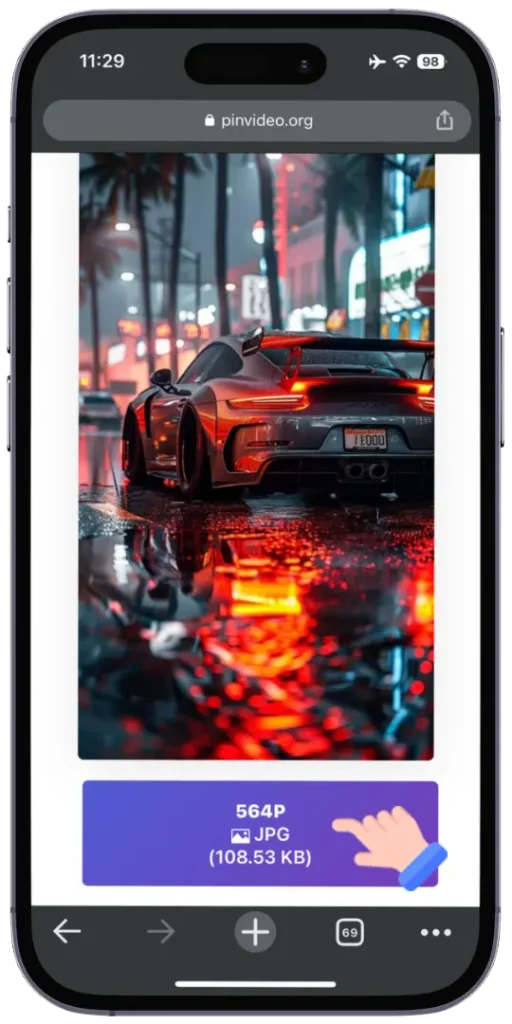
4. Downlaod The Image in 4K Qualitity
Some Additional Tips & Tricks
Here are some extra tips to help you use the Pinterest Image downloader without a watermark. Have a look:
Video Guide
I made a detailed video guide with a complete step-by-step procedure to download Pinterest Images using a PC or laptop.
Frequent Asked Questions (FAQ’s)
Conclusion
In all applications, Pinterest is an application that is useful as well as knowledgeable for users irrespective of their fields of interest. But, the only drawback is the lack of facility to download and save the images from it.
The online tool available on our website addresses the concerns of users across the globe. They can now instantly download the images for offline use.
The user-friendly interface of the tool has made it super easy to download the image. Therefore, the issue of not being able to get the images saved has been resolved with ease.